
Using GitHub Actions for Reliable CI/CD
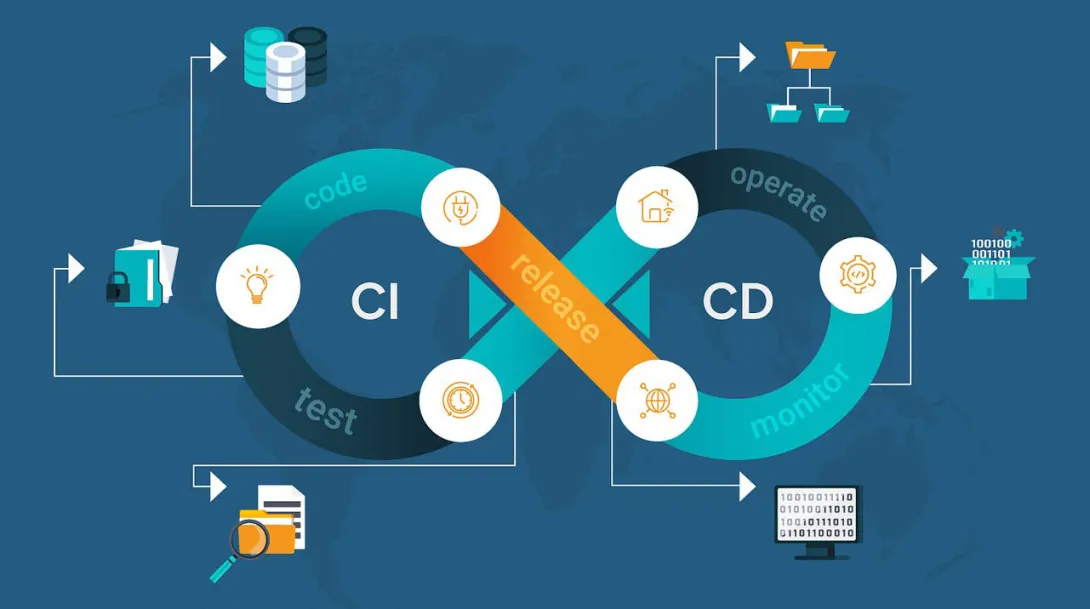
Modern web projects move fast—and without automation, things break just as fast. That’s where Continuous Integration (CI) comes in.
At its core, CI is about automatically validating code every time it changes. Instead of waiting until deployment day to discover errors, CI helps teams catch problems early, consistently, and automatically.
At Fuzetto Web Solutions, we use CI as a standard practice on our Drupal and web projects. One of our preferred tools for this is GitHub Actions.
What Continuous Integration Actually Means
Continuous Integration is the practice of automatically running checks whenever code is pushed to a repository. These checks typically include:
Installing dependencies
Running automated tests
Enforcing coding standards
Performing security or quality scans
The goal is simple: know immediately if a change introduces risk.
Why We Use GitHub Actions
GitHub Actions is built directly into GitHub, which makes it easy to adopt without introducing new platforms or credentials.
Key reasons we use it:
Native to GitHub – No external CI service required
Event-based – Automatically runs on pull requests, pushes, or releases
Versioned with code – CI configuration lives in the repository
Scales well – Works for small sites and large multi-site platforms
For teams already using GitHub, Actions removes friction while still providing powerful automation.
How GitHub Actions Is Used in a Real-World Workflow
In practice, GitHub Actions becomes the automation layer that connects day-to-day development with reliable delivery.
When a developer opens a pull request, GitHub Actions automatically runs a series of checks to confirm that the code builds correctly and meets baseline quality standards. This happens before the code is ever merged, allowing issues to be identified early—when they’re fastest and least expensive to fix.
Once code is approved and merged, GitHub Actions takes over again. It performs a clean production build and deploys the tested result to the appropriate hosting environment. For managed platforms like Acquia and Pantheon, this means delivering a fully prepared build that the platform can deploy without running build tools on the server.
For Pantheon-hosted projects, GitHub Actions can also automatically create temporary Multidev environments for testing and review during the pull request process. These environments make it easy for stakeholders to preview changes in isolation—and are automatically cleaned up once the work is merged, keeping infrastructure tidy and costs under control.
This workflow creates a consistent path from development to deployment:
Code is validated before it’s merged
Builds are repeatable and automated
Deployments follow the same process every time
Temporary environments are created and removed as needed
The result is fewer surprises, faster feedback, and a release process that’s dependable rather than stressful.
Why This Matters
From a business perspective, this approach reduces risk and increases confidence. Every change goes through the same automated checks, every deployment follows the same path, and environments stay clean and intentional.
Continuous Integration isn’t just about automation—it’s about creating a delivery process teams can trust.
A Glimpse at CI in Action
To make this more concrete, here’s a simplified example of the type of automation we use with GitHub Actions.
This workflow runs automatically on feature branches and performs basic quality checks before code is merged:
name: Branch QA checks

on:
  push:
    branches-ignore:
      - develop
      - master

jobs:
  qa-check:
    runs-on: ubuntu-latest

    steps:
      - uses: actions/checkout@v4

      - name: Set up runtimes
        uses: shivammathur/setup-php@v2

      - name: Install dependencies
        run: composer install --no-dev

      - name: Lint custom code
        run: php -l path-to-custom-code

      - name: Build front-end assets
        run: npm run build